Send the email
that knows
what it sold.
Campaigns, segments, sequences and recurring routines that run on the same customer records as your Stripe data and your affiliate program — so a partner, a subscriber and a paying customer are one person instead of three exports.
- on inviteshare referral link
- on payoutconfirm transfer
- at tiershow next threshold
- monthlyreview program
commission and payout trail
Your email tool holds a list. Your billing holds customers. Your affiliate program holds partners. None of them agree.
Every segment worth sending is a join your tools cannot do.
“Everyone a partner referred, still on trial, who opened the last campaign” is a trivial question and an impossible export. So the audience never gets assembled, and the campaign goes to everybody instead — which is how a list stops opening.
The real cost is not the subscription to the sending tool. It is the six emails a year you decide not to send because building the audience would take a day.
From an empty workspace to a routine that runs itself.
- 01
Bring the audience in
Sync contacts from your Stripe customers, push them through the organization API, or import a list. Your affiliates are already there — they are contacts too.
stripe sync · api · csv import - 02
Set the branding once
Colours, logo, buttons, footer and sender identity live in the organization's theme studio and apply to every campaign, sequence and transactional message.
theme studio · per organization - 03
Segment on real data
Build audiences from billing state, referral source, tags and engagement with the filter builder, instead of maintaining static lists by hand.
segments · tags · audience filters - 04
Compose and preview
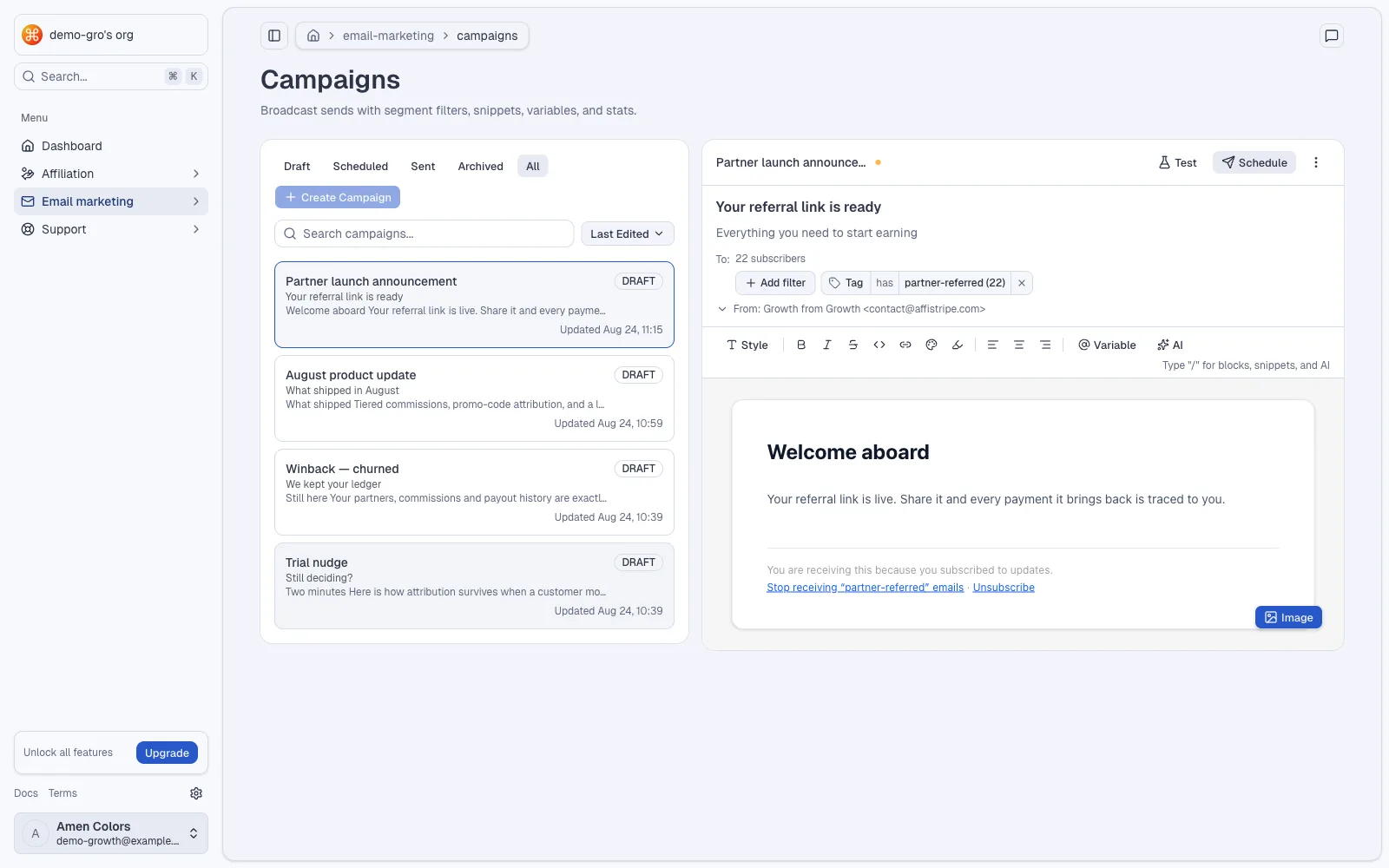
Write in the block editor with slash commands for buttons, snippets and in-email surveys. The preview renders what the inbox will render.
/ commands · snippets · survey blocks - 05
Send, schedule, or repeat
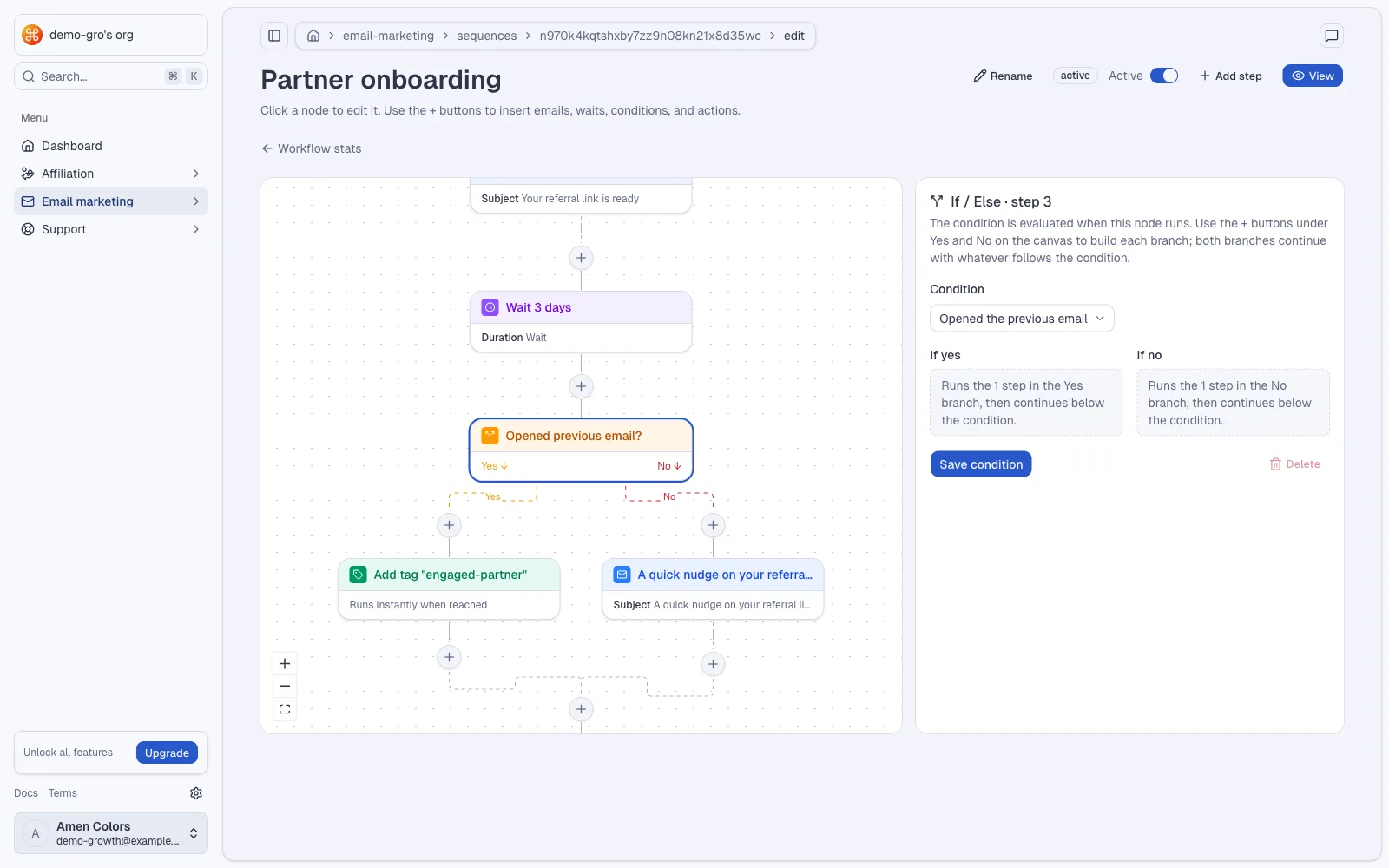
Fire a campaign now, schedule it, or attach it to a sequence. Lifecycle routines re-run on their own schedule and pick up whoever became eligible since the last pass.
campaigns · sequences · recurring routines
One workspace, six things you stop stitching together.
Everything below is already running in the product — the email module ships with the affiliate module, not after it.
Campaigns
One-off sends with delivery, open and click reporting, and an archive of the exact HTML each contact received.
Sequences and routines
Multi-step flows on delays, plus recurring routines that re-evaluate their audience every run instead of freezing it at creation.
Segments
Audience filters over billing status, referral origin, tags and engagement, saved and reusable across sends.
In-email surveys
Drop a survey block straight into the message with a slash command and read the answers back in the workspace.
Theme studio
Brand every message once — palette, logo, buttons, footer — with a live preview and no template forking.
Contacts and history
A timeline per contact: what they were sent, what they opened, what they bought, and which partner brought them in.
Priced on volume,
not on features.
Campaigns, sequences, segments, surveys and branding are on every plan. What scales is how much of your sending history stays archived, and how many people can work in the workspace.
- 1,000 stored emails
- 3 team members
- 1 affiliate program
- Up to 5 affiliates
- 10,000 stored emails
- 5 team members
- Unlimited programs
- Up to 100 affiliates
- 100,000 stored emails
- 15 team members
- Unlimited programs
- Unlimited affiliates
- Unlimited stored emails
- Unlimited team members
- Unlimited programs
- Unlimited affiliates
Yes, but.
We already have a sending tool we like.
Keep it for transactional mail if it serves you. Growth is for the campaigns and routines that need to know who referred whom and what they pay you — context the other tool cannot import in a useful shape.
Where do our contacts actually live?
In your organization's workspace, alongside the affiliate data. Stripe stays the source of truth for customers and subscriptions; Growth syncs from it rather than replacing it.
Can we send from our own identity?
Sender identity, branding and footer are configured per organization in the settings, and the domains panel is where you connect the sending setup for your workspace.
What happens to what we already sent?
Every send is archived with the HTML exactly as delivered, up to your plan's stored-email limit, so an old campaign can still be read a year later.
Do we have to use the affiliate side?
No. The modules share one workspace but are used independently — plenty of teams start with campaigns and switch the affiliate program on later.
Is this another editor to learn?
It is a block editor driven by the slash command you already use elsewhere. Snippets and templates cover the parts you would otherwise rebuild every month.
Write once.
Let it run monthly.
Create the workspace, sync your Stripe customers, and put the first lifecycle routine on a schedule this afternoon.